Guides
Battlefield 6 Cheat Setup Guide: From Payment to First Match
Oct 6, 2026 · Updated Oct 6, 2026 · 4 min read
A step-by-step Battlefield 6 cheat setup guide: check status, pick a plan, pay, install from your portal, load a safe preset and play.
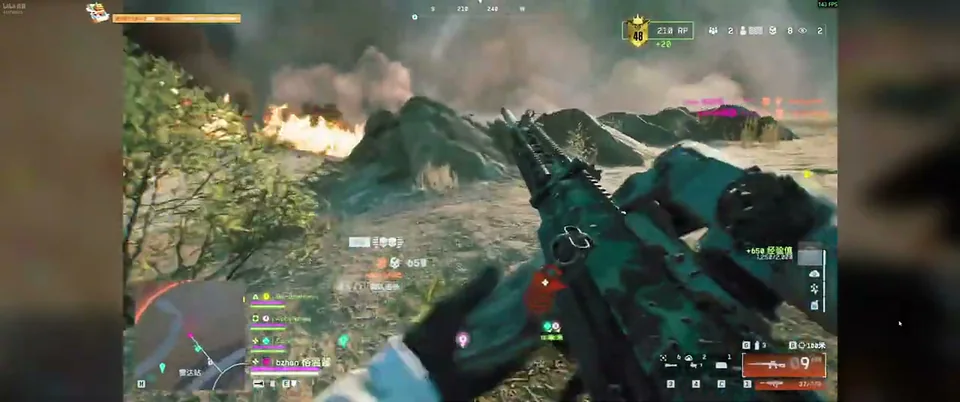
Buying a cheat should take less time than loading into a match. It usually does, as long as you do things in the right order. Here is the route from checkout to your first game.
Step 1: check status first
Before you pay, confirm the product shows as online. Status is current only, and it can change after a game or anti-cheat update. This takes ten seconds and saves you grief.
Step 2: pick a plan
One week, one month or lifetime. Not sure? Our plan comparison shows who each one suits. If you want to test first, start with the week.
Step 3: pay
Card, PayPal, Apple Pay, Google Pay, Cash App, Amazon Pay and crypto are all available. Delivery is instant, so your key unlocks as soon as payment clears.
Step 4: install from the portal
Your portal holds the loader and the setup guide. Follow the guide as written. Use a Windows 10 or 11 PC with an Intel or AMD processor. If a step is unclear, do not guess. Open a ticket or ask on Discord.
Step 5: load a cautious preset
When the menu opens, resist the urge to switch everything on. Start with Player ESP, distance and a small aimbot FOV with moderate smoothness. Turn on the visible check. Save that as your first config. If you need ideas, our preset guide gives you two to copy.
Step 6: play and adjust
Jump into a match and change one setting at a time. Learn your menu bind and your unload bind before you need them. Our settings explainer tells you what each slider does.
A few habits that help
- Check live status before every session, especially after updates
- Keep your config saved so you can roll back
- Know how to reset your HWID if you change PCs, covered in the HWID reset guide
Ready?
Grab your key from the Battlefield 6 checkout page. Stuck on anything? The forum is full of players who have done it before.
Questions about this guide
- How long does setup take?
- Delivery is instant after payment. Most people are ready within a few minutes by following the guide in the portal.
- What do I need to run it?
- A Windows 10 or 11 PC with an Intel or AMD processor.
- What if something goes wrong during setup?
- Use the setup guide in your portal first, then open a support ticket or ask on Discord.
Keep reading
Guides
Battlefield 6 Cheat Config Presets: Cautious vs Aggressive
Two ready-to-copy Battlefield 6 cheat presets, one cautious and one aggressive, with FOV, smoothness, bone and ESP settings explained.
Sep 20, 2026 4 min read
Read preset guide
Guides
Battlefield 6 Cheat HWID Reset: Moving Your License to a New PC
New PC, new parts or a reinstall? Here is how a Battlefield 6 cheat HWID reset works and how to move your license without losing your key.
Sep 14, 2026 4 min read
Read HWID guide
Guides
Battlefield 6 Bot Lobbies and Casual Play: Using Cheats for Fun
Want to rack up kills, learn maps or just mess around? Here is how bot targeting and ESP work in Battlefield 6 casual and bot-heavy modes.
Sep 2, 2026 4 min read
Read casual play guide