Features
Battlefield 6 Aimbot and ESP: Every Setting Explained
Oct 18, 2026 · Updated Oct 18, 2026 · 4 min read
Thirty toggles, no manual. A plain-English guide to Battlefield 6 aimbot and ESP options: FOV, smoothness, bone selection, visible check, skeleton and more.
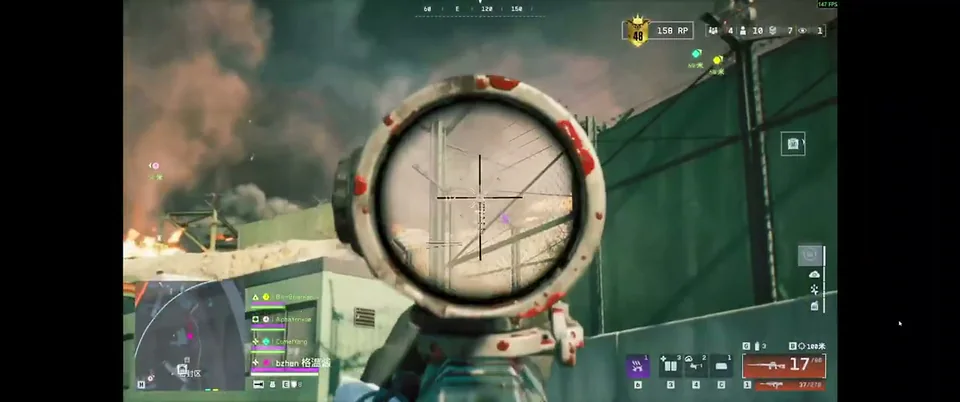
Most people open a cheat menu once, stare at the toggles, and then do one of two things: leave everything on default or switch on everything at once. Both are mistakes. The menu is a toolbox, not a checklist.
Here is what the main options do and how to think about them.
Aimbot options
Toggle Aimbot and Aim Always. The first turns aim assistance on and off. Aim Always keeps it running without holding a key. Holding a bind usually gives you more control and looks less mechanical.
Aim bind. Pick a key or mouse button you can press without moving your hand. A side mouse button works well.
Bone selection. Head, neck, body or pelvis. Head is the obvious pick, but body shots are more forgiving on moving targets and at long range.
FOV, smoothness and distance. FOV decides how close a target must be to your crosshair before the aim assist reacts. Smoothness decides how fast it pulls. Distance caps how far it looks. A small FOV, moderate smoothness and a sensible range make a good first preset. Change one setting at a time so you know what did what.
Visible check. Switch it on. It stops the aimbot from snapping toward players you cannot actually see.
Target bots and target teams. Handy for bot-heavy modes, or for testing without touching your squad.
Draw FOV border and background. These paint your aim circle on screen so you can see the area you are working with. Great while tuning, optional afterwards.
Visual options
Player ESP and Bot ESP. Marks human players and AI targets.
Box, name, distance, health bar. The classic information set. On a busy map, turn off what you do not need. A screen covered in text slows you down.
Skeleton. Draws the bones, which makes it easier to read posture and facing direction through cover.
Snapline. A line from the bottom of your screen to each target. Excellent for tracking a squad across open terrain.
Max distance. Stops faraway markers from cluttering the view.
The misc options that save time
The config system is the quiet hero. Build one cautious preset and one looser one, then swap between them. Menu bind and unload bind open and close the menu instantly. An FPS limit and crosshair options round things out. Want ready-made starting points? See our conservative and aggressive preset guide.
Where to go from here
Still deciding what to buy? Start with the pre-purchase checklist. Want the full module list and live status? Open the Battlefield 6 loader page. Players trade their own tweaks in the forum.
Questions about this guide
- What FOV should I use for the aimbot?
- Start small. A narrow FOV only reacts to targets near your crosshair, which feels more natural than a huge circle.
- What does the visible check do?
- It stops the aimbot from targeting enemies who are behind walls or cover.
- Can I save my settings?
- Yes. The config system lets you save, load, share and delete presets.
Keep reading
Buyer's Guide
Best Battlefield 6 Cheats in 2026: What to Check Before You Buy
Every seller says undetected. Here is what actually separates a solid Battlefield 6 ESP and aimbot package from a waste of money, plus a checklist.
Oct 22, 2026 4 min read
Read buyer guide
Pricing
Battlefield 6 Cheat Prices: 1 Week vs 1 Month vs Lifetime
Battlefield 6 cheat plans compared: $15 for a week, $35 for a month, $150 for lifetime. Which one is worth it depends on how often you play.
Oct 14, 2026 4 min read
Read pricing guide
Features
Battlefield 6 ESP and Wallhack Explained: What You Actually See
How Battlefield 6 ESP works, what boxes, skeletons, snaplines and health bars show you, and how to set it up so the screen stays readable.
Oct 10, 2026 4 min read
Read ESP guide