ESP & Wallhack
Player ESP boxes way too bright on night maps
Default colors blow out my vision on Hourglass night. How do you tone it down without losing readability?
4 replies
Open ESP & Wallhack thread
Battlefield 6 ESP & Wallhack
Player ESP, wallhack, vehicle tags, and radar—read sectors and armor pushes without guessing what is on the other side of cover.
At a glance
What ESP & Wallhack focuses on before you open the full module list.
Plus 18 additional modules in the operator portal—see the full list below.
Overview
How this build fits ranked, Zero Build, and patch-day workflows.
ESP / wallhack includes nine visual modules: player and bot overlays, health bars, skeletons, snaplines, boxes, names, distance, and max range.
Tune colors and distance before 64-player Conquest. Skeleton and box layouts are covered on this page with gameplay from bf6-esp-wallhack and bf6-skeleton-esp assets.
ESP / wallhack covers the nine visual modules: player and bot ESP, boxes, skeletons, snaplines, health bars, names, distance, and max range—ideal when map awareness matters more than aim automation.
On Breakthrough and Conquest, max distance and team color filters keep long-range tags usable. Test skeleton vs box layouts in a custom match before you rely on them in live servers.
Player ESP and bot ESP share max distance, health bar, skeleton, snapline, box, name, and distance toggles. Filter colors for friendlies vs enemies, shorten range on dense Conquest sectors, and use skeleton mode when you track movement through smoke.
Snaplines help orientation on vertical maps; boxes stay cleaner for streaming layouts. Save a Conquest preset and a Breakthrough preset through the config system when you buy Complete—or add misc tools later if you only need visuals today.
Modules
Every module and overlay shipped with ESP & Wallhack—toggle and tune in the operator portal.
Experience
Use the screenshots above for ESP & Wallhack—below is what each layer means and how access works after checkout.
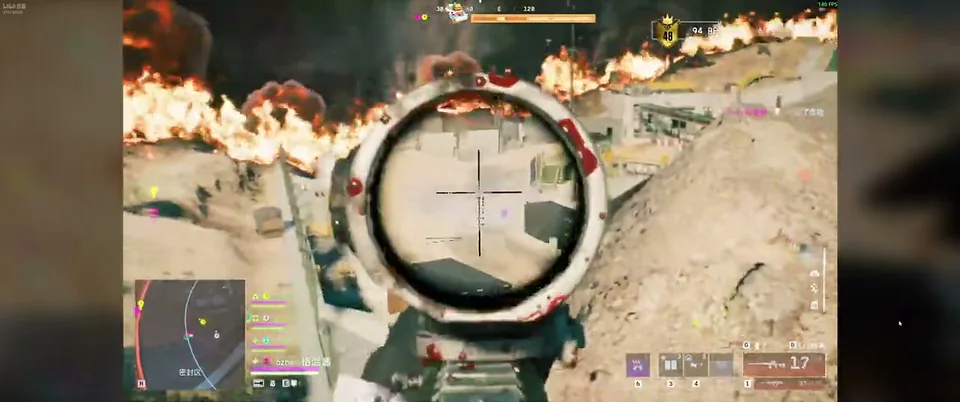
Boxes, names and distance readouts in a large-scale BF6 fight.
Skeleton overlays for tracking movement through smoke and cover.
Mini-radar context for pushes and flanks on wide maps.
Community
Real setup questions, aimbot tuning notes, and ESP layout tips from other Battlefield 6 players.
ESP & Wallhack
Default colors blow out my vision on Hourglass night. How do you tone it down without losing readability?
ESP & Wallhack
Drops from 110 to 70 when skeleton on in 64-player Breakthrough.
ESP & Wallhack
Tanks and transports clutter the screen. Does it actually help or just noise?
General
Stream proof enabled but VOD review shows boxes. Testing wrong or wrong capture mode?
Aimbot
Headshots whiff when target strafes — chest more consistent?
Patch Talk
Some people hop in instantly, others wait a day. What’s the safe routine?
Cheat FAQ
Straight answers on aimbot, ESP, Javelin risk, and setup — see the full FAQ for every topic.