Aimbot
Smoothness vs FOV — what actually looks natural in Breakthrough?
Higher smooth feels lazy, lower smooth snaps on stream clips. Looking for a sane starting point.
5 replies
Open Aimbot thread
Battlefield 6 Aimbot
Battlefield 6 aimbot with smooth tracking, FOV control, and per-weapon presets for infantry fights across all major modes.
At a glance
What Aimbot focuses on before you open the full module list.
Plus 12 additional modules in the operator portal—see the full list below.
Overview
How this build fits ranked, Zero Build, and patch-day workflows.
The Aimbot plan delivers all twelve tracking modules—smoothness, FOV, bone selection, visible check, and team or bot filters—without the full ESP suite.
Use FOV drawing and distance caps to keep locks readable in open Conquest lanes. Pair with ESP / wallhack or Complete if you want boxes and skeletons on the same key.
The Aimbot plan focuses on the 12 tracking modules: smoothness, FOV, bone selection, team and bot filters, and visible checks—without paying for the full visual suite if you already run a minimal HUD.
Draw FOV border and background help you see lock range without cluttering center screen. Pair conservative smoothness with visible check enabled for open-field Conquest pushes.
Enable toggle or always-on aim, pick head, neck, body, or pelvis bones, and bind aim to a key that fits your grip. Smoothness and FOV sliders control how aggressively the reticle moves; distance caps stop long-range snaps. Target bots or teams separately, require visible line-of-sight, and optionally draw FOV border and background for reference.
Many players pair this plan with forum threads on smoothness and FOV before their first Breakthrough session. If you need player boxes and skeletons, compare the ESP / wallhack plan or step up to Complete.
Modules
Every module and overlay shipped with Aimbot—toggle and tune in the operator portal.
Experience
Use the screenshots above for Aimbot—below is what each layer means and how access works after checkout.
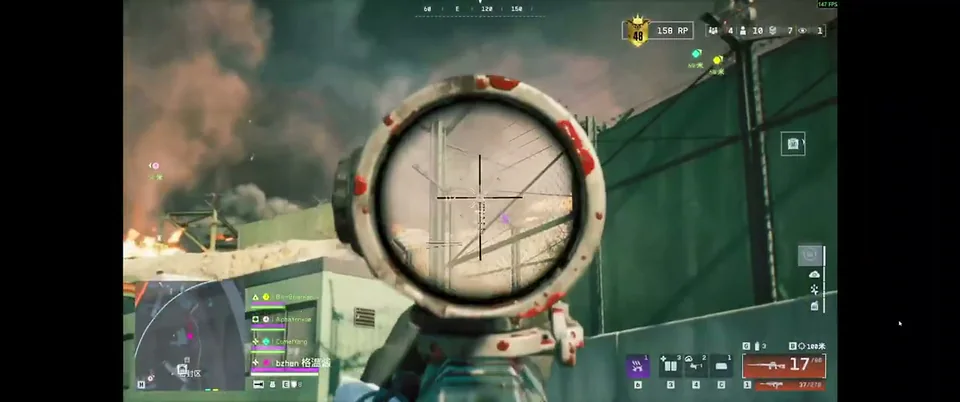
Smooth aim with FOV limits and visible checks in combat.
Squad and objective awareness tuned for 64-player Conquest.
Boxes, names and distance readouts in a large-scale BF6 fight.
Community
Real setup questions, aimbot tuning notes, and ESP layout tips from other Battlefield 6 players.
Aimbot
Higher smooth feels lazy, lower smooth snaps on stream clips. Looking for a sane starting point.
Aimbot
Headshots whiff when target strafes — chest more consistent?
Aimbot
Want help on bolt actions without full lock looking obvious.
Setup & Loader
Clean install, ran as admin, still stuck at “waiting for game window”. Anyone got a checklist?
Patch Talk
Game updated this morning, loader says compatible but INSERT is dead in match.
Cheat FAQ
Straight answers on aimbot, ESP, Javelin risk, and setup — see the full FAQ for every topic.